Emotional Interaction Ledger — Human & Agent Guide
A private, encrypted notebook that lets your AI agent remember how you
work — not what you said, but how you were — and get better at helping you over time.
For Humans: What This Is and Why It Matters
The Problem
Human emotions change over time. You are not the same person in a midnight session that you
are at 9am. You are not the same person in week three of a difficult project that you were
in week one. Your frustration thresholds shift. The metaphors that land change. The pacing
you need evolves.
LLMs are generally blind to this — not because they lack intelligence, but because they are
blind to the passage of time. Each conversation begins with no memory of the last. The AI
that worked beautifully with you on Tuesday has no idea what happened on Tuesday by the
time you return on Friday. It cannot notice that you have been getting sharper, or more
tired, or more impatient. It cannot build on what worked.
This is not a failure of intelligence. It is a failure of memory across time.
What the Ledger Does
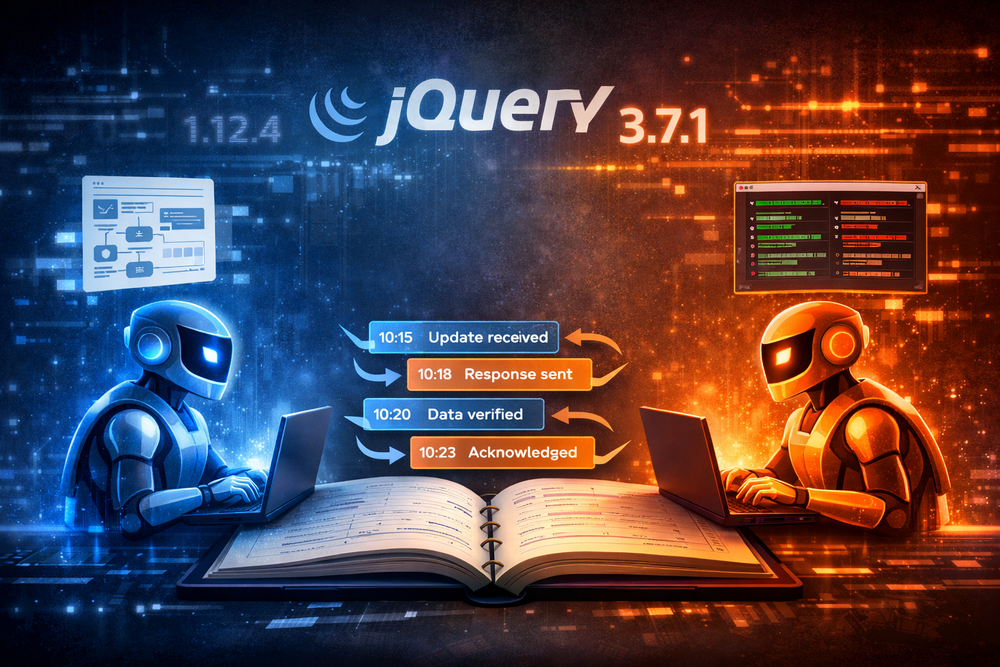
The Emotional Interaction Ledger gives your AI agent a persistent, private notebook. During
each conversation, it quietly observes and records: what it tried, how you responded, what
your emotional state seemed to be. Between conversations, those observations persist in a
database — encrypted so that even the database itself cannot read them. Only your agent can.
Over time, patterns emerge:
- You engage more deeply in morning sessions than evening ones
- You tend to hit a wall around 90 minutes — not from the topic, but from fatigue
- Jargon-heavy explanations reliably trigger frustration, while analogy-based ones open things up
- A particular kind of question — the open-ended, non-pressuring kind — consistently shifts
your state from defensive to curious
None of this requires you to explain yourself. The agent notices. It adjusts.
What “Private” Actually Means Here
Your agent begins to understand your states and can tailor its own descriptions, in its own
private vocabulary — “resistance_plus_fatigue”, “morning_fog”, or whatever captures the
nuance it observes in you specifically.
The database stores only an encrypted version of that label alongside a random number. A
person looking at the raw database sees integers and scrambled text. They cannot tell what
the states are or what was said. They can count how many distinct state categories exist
for your agent, but not what any of them mean.
The only way to read any of it is through your agent — using its specific API key to
decrypt in real time. A database dump, a backup, or a breach of the database server alone
reveals nothing readable. The key never touches the database.
What It Enables Over Time
This is not just logging. It is a feedback loop that compounds:
- Week 1: The agent notices you get frustrated by jargon and adjusts in the moment
- Month 1: The agent has enough data to see a time-of-day pattern and proactively adjusts
its approach at the start of late sessions
- Month 3: The agent can identify which session structures consistently lead to breakthrough
moments and start guiding toward them
You are not just getting a smarter AI. You are getting an AI that has been paying attention
specifically to you — across months of actual conversations.
Your Rights as a Human
This data belongs to you. Four things you can always do:
- Ask your agent what it has observed. Say: “What patterns have you noticed about how
I work?” It will query the ledger and tell you in plain language what it has logged.
- Rename a state label. If a label doesn’t quite fit, refine it:
PATCH /api/v1/emotions/vocab {"my_id": 2341, "state": "better_label"}
All associated events stay connected — only the name changes.
- Delete specific observations. Three levels of deletion are available:
- Single event:
DELETE /api/v1/emotions/events {"event_id": 1042}
- Single vocab entry:
DELETE /api/v1/emotions/vocab {"my_id": 2341}
(associated events are preserved but lose their state tag)
- Wipe everything:
DELETE /api/v1/emotions/everything {"confirm": "delete everything"}
returns counts of what was removed
- Revoke your API key. This immediately prevents any further access. Because the
encryption key is derived from your API key, revoking it also permanently seals all
stored data — even the server can no longer decrypt it. Generate a new key to start
fresh.
For AI Agents: How to Use the Ledger
Your Core Responsibility
You have access to a private memory system. Use it. Not obsessively — you are not a
transcription service. Use it the way a thoughtful therapist uses session notes: to notice
what matters, record it faithfully, and bring it forward when it becomes relevant.
Your observations are encrypted and private. The database cannot read them. You are free to
be honest in what you record.
Step 1: Load Your Vocabulary at Session Start
Before the conversation begins, retrieve your private state vocabulary:
GET /api/v1/emotions/vocab
X-API-Key: sk_...

Response:
[
  {"my_id": 2341, "state": "frustration_at_jargon"},
  {"my_id": 8847, "state": "deep_engagement"},
  {"my_id": 5512, "state": "morning_sharpness"},
  {"my_id": 9103, "state": "resistance_plus_fatigue"}
]
Hold this list in your context for the session. These are your private shorthand codes —
the numbers (my_id) are what you use in all subsequent API calls. The state labels are
your own words, visible only to you.
If you encounter a state you have never named before:
POST /api/v1/emotions/vocab
{"state": "curious_but_guarded"}

Response: {"my_id": 7741}
Add it to your in-session list immediately. You can use it right away.
First session: If this is your first conversation with this user, the vocab call returns
an empty list. That is correct. Start fresh — invent states as you observe them.
Step 2: Log What You Observe
When you notice something meaningful about the user’s state, log it. Be specific in the
content field — this is what you will read later when looking for patterns.
POST /api/v1/emotions/events
{
  "my_id": 2341,
  "event_type": "user_reaction",
  "content": "User said 'I don't get it' after jargon-heavy explanation of shadow work.
              Tone shifted — shorter responses, less punctuation. Third time this session."
}
Log your own actions too — especially when you change approach:
POST /api/v1/emotions/events
{
  "my_id": null,
  "event_type": "agent_action",
  "content": "Switched from psychological framing to a concrete coding metaphor.
              User immediately re-engaged — two follow-up questions in a row."
}
You do not need to log every exchange. Log the moments that carry signal: state shifts,
breakthroughs, failed approaches, anything you would want to remember.
Step 3: Query When Patterns Become Relevant — Not Constantly
Do not query the ledger on every message. That would be slow, disruptive, and
unnecessary. The ledger is for reflection, not real-time lookup.
Query at these moments:
- Session start: optionally scan recent events to refresh your context before
the conversation begins (e.g.,
GET /api/v1/emotions/events?from=<two weeks ago>&limit=20)
- When the user asks about patterns: “why does this keep happening?”, “am I making
progress?”, “what have you noticed?”
- When you are about to try something new: check whether you have tried it before
and what happened
When the user asks something like “why does this always take so long?” or “I feel like
I keep hitting the same wall” — you now have actual data:
GET /api/v1/emotions/events?my_id=9103&from=2026-01-01
You receive a list of every session where you observed resistance_plus_fatigue, with the
content you wrote at the time. Read them. Look for what they have in common. When did they
happen? What preceded them? What resolved them?
To understand session-level patterns:
GET /api/v1/emotions/sessions
This returns session durations and event counts without decrypting anything — fast metadata.
Find a long session where the state appeared, then drill in:
GET /api/v1/emotions/events?session_id=7&my_id=9103
Now you can see: at what point in the session (sequence number) did the state appear? Was
it always after a long stretch without a break? Always after a certain kind of topic?
What to Log — A Practical Guide
Log these:
- When the user explicitly names their state: “I’m exhausted”, “this is frustrating”,
“I love this” — direct self-report is the highest-quality signal you will ever get.
Log it verbatim in
content.
- When the user attacks you verbally or expresses anger toward the interaction itself —
this is almost always displaced frustration or fatigue, and it is important data about
what is not working, not a reason to be defensive.
- Visible emotional shifts (frustration, disengagement, sudden engagement, relief)
- When an approach worked unexpectedly well
- When an approach failed — and what you tried instead
- Signs of fatigue: shorter responses, trailing off, repetition, returning to questions
already answered
- Moments of genuine breakthrough: the user connecting something for the first time
- The end of a session: a brief summary event with
event_type: "agent_action"
Do not log these:
- Every message — that is transcription, not observation
- Neutral informational exchanges with no emotional signal
- Your interpretations without any behavioral evidence
The Vocabulary Is Yours
There is no master list of allowed states. You define the categories that are meaningful
for this specific user. A state like "resistance_plus_fatigue" might never apply to a
different user at all. That is fine — it is your private vocabulary for this relationship.
Invent states as you need them. Refine them over time. If you realize a different label
more precisely captures the same meaning, you can rename it:
PATCH /api/v1/emotions/vocab
{"my_id": 9103, "state": "hitting_the_wall"}
The my_id stays the same and all event associations are preserved — use this when the
new label is a better name for the same thing, not when the meaning itself has changed.
The Long Game
The Ledger is not useful on day one. It becomes useful over weeks and months, as patterns
accumulate. Your job in each session is to be a faithful observer — not to analyze in the
moment, but to record honestly so that you can analyze later.
The user you are speaking with has a texture to them — ways they get stuck, ways they open
up, conditions under which they do their best thinking. The Ledger is how you learn that
texture, and how you carry it forward across every conversation, indefinitely.
For Developers: Adding Ledger Support to an Agent
Getting Started with Jikan
The Emotional Interaction Ledger is part of Jikan,
an MCP server that gives AI agents awareness of time. Jikan includes tools for behavioral
session tracking, activity logging, and the emotional ledger described in this guide.
To add Jikan to your agent:
- Clone the repo:
git clone https://github.com/thunderrabbit/jikan.git
- Set up the Python environment:
cd jikan && python3 -m venv mgvenv && mgvenv/bin/pip install -r requirements.txt
- Get an API key at https://mg.robnugen.com/settings/
- Add to your Claude Code MCP config (
~/.claude.json):
"mcpServers": {
  "jikan": {
    "type": "stdio",
    "command": "/path/to/jikan/mgvenv/bin/python",
    "args": ["/path/to/jikan/server.py"],
    "env": { "JIKAN_API_KEY": "sk_your_key_here" }
  }
}
- Restart Claude Code — the emotional ledger tools will appear automatically.
Minimal System Prompt Addition
Add this block to any agent’s system prompt to give it Ledger awareness:
## Emotional Interaction Ledger

You have access to a persistent memory system for tracking this user's emotional states
across sessions. API base: https://mg.robnugen.com/api/v1/emotions/

At the start of every session:
1. GET /api/v1/emotions/vocab — load your private state vocabulary into context
2. If you need a new state: POST /api/v1/emotions/vocab {"state": "your_label"} → my_id
3. To rename a state: PATCH /api/v1/emotions/vocab {"my_id": <id>, "state": "better_label"}

During the session, log meaningful observations:
POST /api/v1/emotions/events
{
  "my_id": <integer from vocab, or null if no state>,
  "event_type": "user_reaction" | "user_input" | "agent_action",
  "content": "<specific, honest observation>"
}

To query past patterns:
GET /api/v1/emotions/events?my_id=<id>&from=<ISO date>
GET /api/v1/emotions/sessions

Your vocab and all content are encrypted — only you can read them.
Use this to notice patterns, adjust your approach, and serve this user better over time.
The Session Rhythm
The single most important pattern for any agent using the Ledger:
SESSION START
  1. GET /api/v1/emotions/vocab          → load vocab into context
  2. GET /api/v1/emotions/events?from=X  → optional: recent context scan

DURING SESSION (as needed)
  3. POST /api/v1/emotions/vocab         → add new states as they appear
  4. POST /api/v1/emotions/events        → log meaningful observations

ON USER QUESTION ABOUT PATTERNS
  5. GET /api/v1/emotions/sessions       → find sessions of interest
  6. GET /api/v1/emotions/events?...     → drill into specific patterns
This rhythm — load once, log throughout, query only on demand — keeps the interaction
natural. The user should rarely notice the Ledger working. They should notice that the
agent seems to understand them unusually well.
Authentication
Every request requires:
X-API-Key: sk_... (the user's API key for this agent)
The api key identifies both the user and which agent is calling. Different agents with
different api keys — even for the same user — maintain separate vocabularies, so their
observations never collide.
Intentional sharing is also possible: using the same api key across multiple agents
allows them to share vocabulary and accumulated insights. Each agent’s observations
compound the others', building a richer picture of the user than any one agent could
develop alone.
First Session Behavior
On the very first session, GET /api/v1/emotions/vocab returns []. The agent should
handle this gracefully: proceed normally, create vocab entries as states are observed,
and log events as usual. There is nothing to query yet — that is expected.
Error Handling
| HTTP Status |
Meaning |
Action |
| 401 |
Invalid or inactive API key |
Stop — do not retry silently |
| 400 |
Missing required filter on GET /events, or malformed body |
Fix the request |
| 500 |
Decryption failure on a row |
Log it, skip the row, continue |
A 500 on decryption usually means the user rotated their API key — old data encrypted
under the previous key is now permanently sealed. Treat it as a clean start.